Event search Pro
Event search finds exact moments over the period you choose, to the second. The section is near the bottom of the page, with an “Event search” link in the section bar under the header.
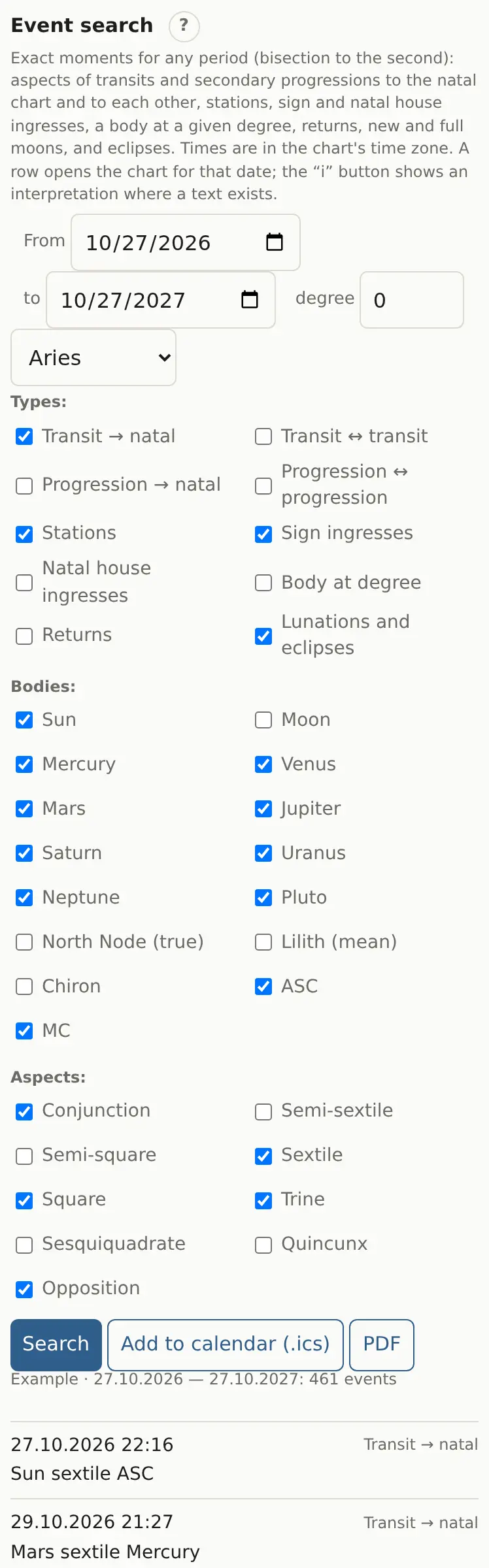
Search
- Set the period with “From” and “to”. The default is one year from today.
- Tick the event types.
- Tick the bodies and aspects.
- Click “Search”.
Event types
| Type | What it finds |
|---|---|
| Transit → natal | Exact aspects from transiting to natal planets |
| Transit ↔ transit | Aspects between planets in the sky (mundane) |
| Progression → natal | Secondary progressions to the natal chart |
| Progression ↔ progression | Aspects between progressed planets |
| Stations | A planet turns retrograde or direct |
| Sign ingresses | A planet enters a new sign |
| Natal house ingresses | Crossings of your house cusps |
| Body at degree | A planet at the degree set in “degree” and the sign list |
| Returns | A planet back at its natal position |
| Lunations and eclipses | New moons, full moons and eclipses |
The period is capped at 20 years (100 for progressions), and the table at 2,000 rows.
Results
Each row has the date and time in the chart's time zone, the type and the event. Tap a row to open the wheel on that date with the matching ring. The “i” button opens an interpretation when there's text for that pair.
- “Add to calendar (.ics)” downloads the events for your calendar.
- “PDF” prints the list.
The eclipse block with visibility sits further down in the same section: see Eclipses.