Aspect grid Pro
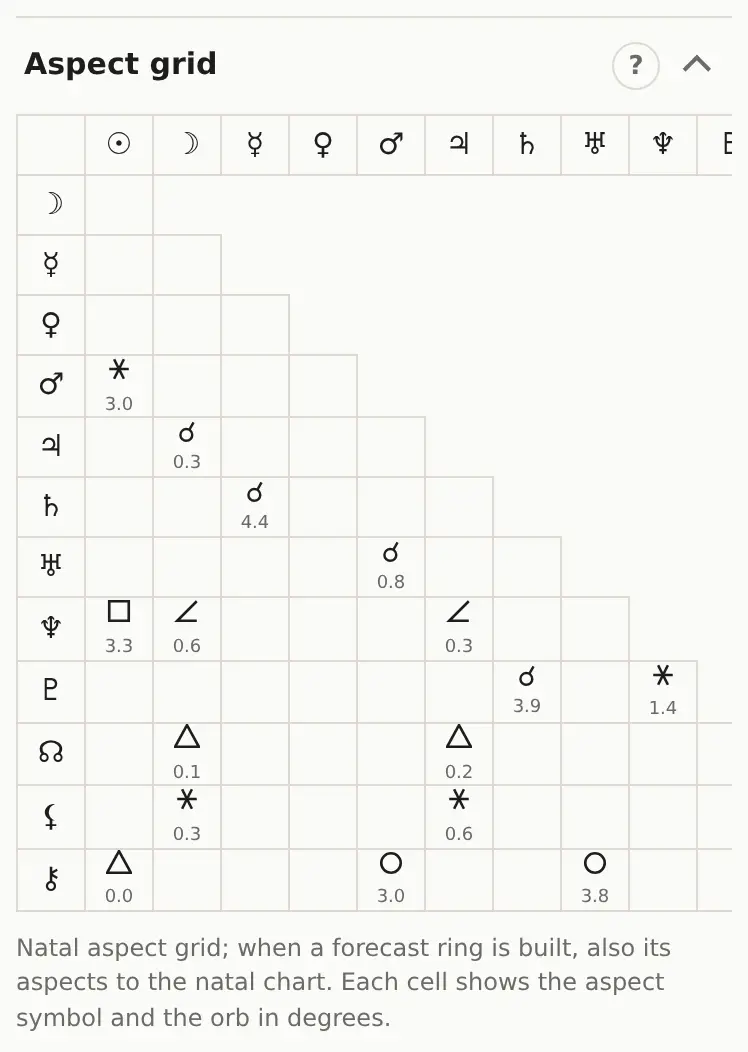
The aspect grid shows every aspect in one table, the way Astro Gold and Solar Fire do. It beats a long list when you want to check one specific pair of planets.
Reading it
- The triangle holds the natal aspects. Find one planet's row and the other planet's column. The cell shows the aspect glyph and the orb in degrees.
- An empty cell means no aspect.
- Hover a cell for a tooltip with the full name and the orb to two decimals.
If you've built a forecast ring (transits, say), a second, square grid appears below: forecast planets as rows, natal planets as columns.
On a phone the grid is wider than the screen. Swipe it sideways.
The glyphs match the classic wheel: ☌ conjunction, ⚹ sextile, □ square, △ trine, ☍ opposition, plus the minor aspects. Aspects you switch off in Wheel settings disappear from the grid too.